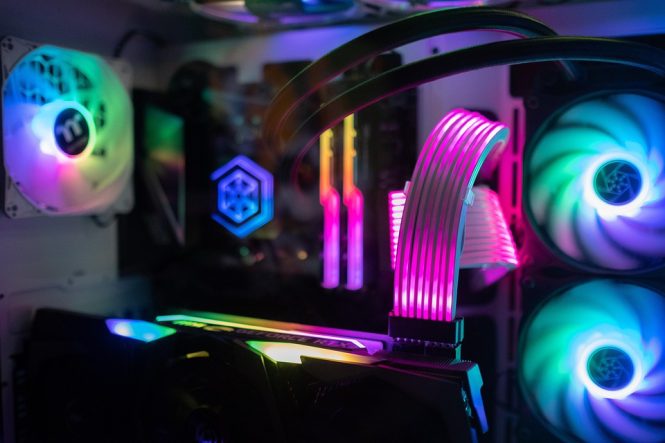
Overclocking 101: How to Squeeze More Performance from Your CPU
Overclocking is the process of increasing the clock speed of your computer’s central processing unit (CPU) beyond its factory-set limit. This can be a great way to squeeze more performance out of your system, but it requires caution and a thorough understanding of the process. In this article, we’ll cover the basics of overclocking, how to prepare your system, and provide a step-by-step guide on how to overclock your CPU safely and effectively.
Benefits of Overclocking
Overclocking can provide several benefits, including:
- Improved performance: By increasing the clock speed of your CPU, you can expect to see significant improvements in performance, particularly in applications that rely heavily on CPU processing power, such as video editing, 3D modeling, and gaming.
- Cost-effective: Overclocking can be a cost-effective way to upgrade your system, as it allows you to get more performance out of your existing hardware without having to purchase a new CPU.
- Increased competitiveness: In competitive gaming and other applications where every frame per second counts, overclocking can give you a significant edge over your opponents.
Preparation is Key
Before you start overclocking, it’s essential to prepare your system to ensure safe and stable operation. Here are some steps to follow:
- Choose the right hardware: Not all CPUs are created equal when it comes to overclocking. Look for CPUs with unlocked multipliers, such as Intel’s K-series or AMD’s Ryzen processors, which are designed specifically for overclocking.
- Invest in a good motherboard: A good motherboard with built-in overclocking capabilities, such as a robust power delivery system and advanced cooling features, is essential for stable overclocking.
- Use high-quality cooling: Overclocking generates more heat, so it’s crucial to have a good cooling system in place. Consider investing in a high-quality air or liquid cooler to keep your CPU at a safe temperature.
- Monitor your system: Use software such as CPU-Z, HWMonitor, or AIDA64 to monitor your system’s temperatures, voltages, and clock speeds.
Step-by-Step Guide to Overclocking
Now that you’ve prepared your system, it’s time to start overclocking. Here’s a step-by-step guide to get you started:
- Determine your baseline: Run a series of benchmarks and stress tests to determine your system’s baseline performance and stability.
- Increase the clock speed: Use your motherboard’s BIOS or a software utility such as Intel Extreme Tuning Utility (XTU) or AMD Overdrive to increase the clock speed of your CPU. Start with small increments (e.g., 100 MHz) and test for stability.
- Adjust the voltage: As you increase the clock speed, you may need to adjust the voltage to maintain stability. Be cautious, as excessive voltage can damage your CPU.
- Monitor temperatures: Keep a close eye on your CPU temperature, as excessive heat can damage your CPU or reduce its lifespan.
- Test for stability: Run stress tests and benchmarks to ensure your system is stable and performing as expected.
- Fine-tune and iterate: Continue to fine-tune your overclocking settings, adjusting the clock speed and voltage as needed to achieve the best balance of performance and stability.
Safety Precautions
Overclocking can be safe if done properly, but it’s essential to take precautions to avoid damaging your CPU or other components. Here are some safety precautions to keep in mind:
- Don’t overvolt: Excessive voltage can damage your CPU or reduce its lifespan.
- Keep an eye on temperatures: High temperatures can damage your CPU or reduce its lifespan.
- Use a stable power supply: A stable power supply is essential for overclocking, as it provides a clean and consistent voltage to your CPU.
- Be patient: Overclocking is a process that requires patience and attention to detail. Don’t rush the process, and be prepared to iterate and fine-tune your settings.
Conclusion
Overclocking can be a great way to squeeze more performance out of your CPU, but it requires caution and a thorough understanding of the process. By preparing your system, following a step-by-step guide, and taking safety precautions, you can enjoy significant improvements in performance and competitiveness. Remember to be patient, iterate, and fine-tune your settings to achieve the best balance of performance and stability. Happy overclocking!