Hardware Hacks: DIY Modifications to Breathe New Life into Your Old Computer
Are you tired of feeling like your old computer is holding you back? Do you want to squeeze a little more life out of your trusty machine before upgrading to a new one? Look no further! With a few simple DIY modifications, you can breathe new life into your old computer and make it run faster, more efficiently, and even more powerful.
In this article, we’ll explore some of the most popular hardware hacks that can help you upgrade your old computer without breaking the bank. From upgrading your RAM and storage to modifying your cooling system and graphics card, we’ll show you how to give your old computer a new lease on life.
Upgrade Your RAM
One of the simplest and most effective ways to boost your computer’s performance is to upgrade your RAM. Adding more RAM to your system allows your computer to handle more tasks simultaneously, making it ideal for multitasking and running demanding applications. To upgrade your RAM, you’ll need to purchase compatible RAM modules and install them into your computer’s RAM slots.
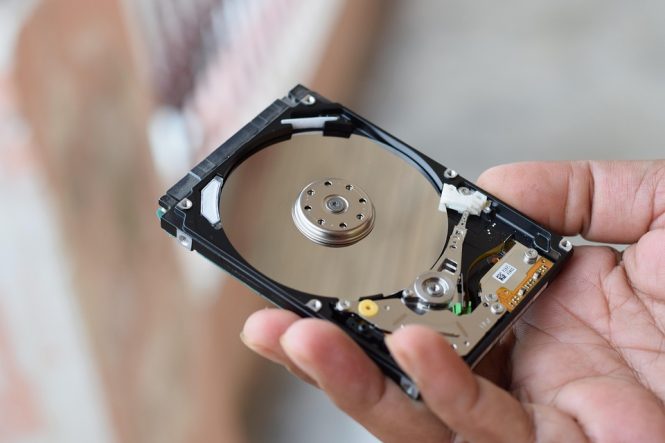
Replace Your Hard Drive with an SSD
If your computer is still using a traditional hard drive, it’s time to consider upgrading to a solid-state drive (SSD). SSDs are significantly faster than traditional hard drives, offering speeds of up to 10 times faster. This means that your computer will boot up faster, load applications quicker, and overall perform more efficiently. To install an SSD, you’ll need to purchase a compatible drive and clone your existing hard drive’s contents onto the new drive.
Overclock Your CPU
Overclocking your CPU can give your computer a significant performance boost, but it requires careful consideration and planning. Overclocking involves increasing the clock speed of your CPU, which can generate more heat and reduce the lifespan of your processor. However, with the right cooling system and careful monitoring, you can safely overclock your CPU to achieve faster performance. To overclock your CPU, you’ll need to use specialized software and adjust your BIOS settings.
Modify Your Cooling System
A good cooling system is essential for keeping your computer running smoothly and preventing overheating. If your computer is overheating, it can slow down your performance, damage your components, and even cause system crashes. To modify your cooling system, you can add additional fans, upgrade to a liquid cooling system, or even create a custom cooling solution using DIY materials.
Upgrade Your Graphics Card
If you’re a gamer or graphic designer, upgrading your graphics card can make a huge difference in your computer’s performance. A new graphics card can provide faster frame rates, higher resolutions, and more detailed graphics. To upgrade your graphics card, you’ll need to purchase a compatible card and install it into your computer’s PCIe slot.
Other DIY Modifications
In addition to these popular hardware hacks, there are many other DIY modifications you can make to breathe new life into your old computer. Some other ideas include:
- Adding a USB 3.0 card: If your computer doesn’t have USB 3.0 ports, you can add a USB 3.0 card to take advantage of faster transfer speeds.
- Upgrading your power supply: If your power supply is old or underpowered, upgrading to a new one can provide more power to your components and reduce the risk of system crashes.
- Creating a custom case: If you’re feeling adventurous, you can create a custom case for your computer using DIY materials like wood, metal, or 3D printing.
Conclusion
With these DIY modifications, you can breathe new life into your old computer and make it run faster, more efficiently, and even more powerful. Whether you’re looking to upgrade your RAM, replace your hard drive with an SSD, or modify your cooling system, there are many ways to give your old computer a new lease on life. So why not get creative and try out some of these hardware hacks today?
Tips and Precautions
Before attempting any DIY modifications, make sure to:
- Research and plan carefully: Make sure you understand the risks and benefits of each modification and plan carefully to avoid damaging your components.
- Use proper safety precautions: Always unplug your computer and ground yourself before working with electrical components.
- Follow proper installation procedures: Make sure to follow the manufacturer’s instructions and take your time when installing new components.
By following these tips and precautions, you can safely and effectively breathe new life into your old computer and enjoy a faster, more efficient, and more powerful machine.