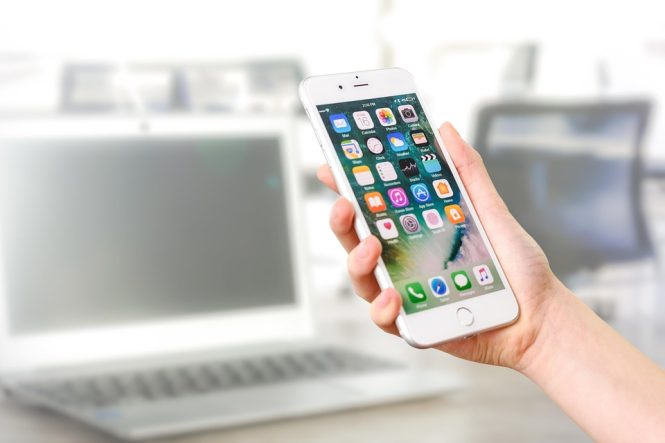
How to Supercharge Your iPhone with These Must-Have Apps
Are you getting the most out of your iPhone? With over 2 million apps available in the App Store, it can be overwhelming to know which ones to download and use. In this article, we’ll show you how to supercharge your iPhone with the must-have apps that will take your mobile experience to the next level.
Productivity Powerhouses
- Evernote (Free) – This note-taking app is a game-changer for anyone looking to stay organized. With Evernote, you can jot down notes, create to-do lists, and even record audio and video clips.
- Trello (Free) – This project management app uses boards, lists, and cards to help you visualize and organize your tasks and projects.
- RescueTime (Free) – This app tracks how you spend your time on your iPhone, providing insights into your productivity and helping you stay focused.
Creative Corner
- Adobe Lightroom (Free) – This powerful photo editing app allows you to edit and enhance your photos on the go.
- Procreate ($9.99) – This professional-grade painting and illustration app is a must-have for artists and designers.
- GarageBand (Free) – This music creation app allows you to record and edit music, podcasts, and more.
Utility Apps
- 1Password ($2.99/month) – This password manager app helps you generate and store unique, secure passwords for all your online accounts.
- Google Maps (Free) – This navigation app provides turn-by-turn directions, traffic updates, and street view imagery.
- Weather Underground (Free) – This weather app provides hyperlocal forecasts, radar imagery, and weather alerts.
Entertainment Essentials
- Netflix (Free) – This streaming app allows you to watch your favorite TV shows and movies on the go.
- Spotify (Free) – This music streaming app provides access to millions of songs, playlists, and podcasts.
- Pocket (Free) – This reading app allows you to save articles and videos from around the web and read them offline.
Tips and Tricks
- Use Siri Shortcuts – Create custom shortcuts to perform multiple tasks with a single voice command.
- Customize Your Home Screen – Rearrange your apps, add widgets, and use folders to keep your home screen organized.
- Take Advantage of iPhone Features – Use features like Night Shift, Do Not Disturb, and Low Power Mode to get the most out of your iPhone.
Conclusion
With these must-have apps, you’ll be able to supercharge your iPhone and take your mobile experience to the next level. From productivity and creativity to entertainment and utility, these apps will help you get the most out of your device. So why wait? Download these apps today and start experiencing the full potential of your iPhone!