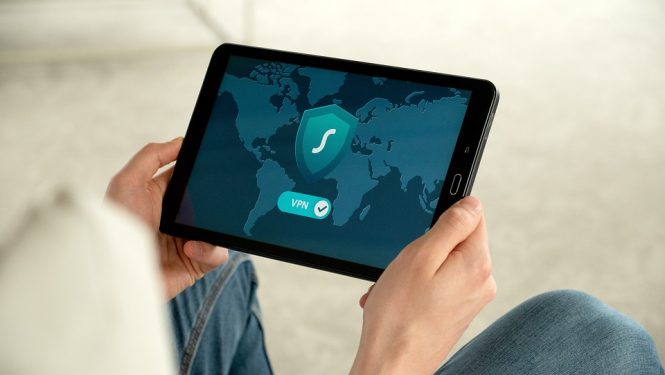
Stay Secure: The Top Android Apps for Protecting Your Device and Data
In today’s digital age, smartphone security is more important than ever. With the rise of mobile malware, data breaches, and cyber attacks, it’s essential to take measures to protect your Android device and sensitive information. Fortunately, there are many excellent Android apps designed to keep your device and data secure. In this article, we’ll explore the top Android apps for protecting your device and data, so you can enjoy a safe and secure mobile experience.
1. Antivirus and Anti-Malware Apps
Antivirus and anti-malware apps are a must-have for any Android device. These apps scan your device for malware, viruses, and other online threats, and provide real-time protection against new and emerging threats. Some of the top antivirus and anti-malware apps for Android include:
- Avast Mobile Security: Offers comprehensive protection against malware, viruses, and other online threats, as well as features like Wi-Fi scanning and password management.
- Kaspersky Internet Security: Provides advanced protection against malware, phishing, and other online threats, as well as features like password management and online banking protection.
- Norton Mobile Security: Offers robust protection against malware, viruses, and other online threats, as well as features like app locking and remote wiping.
2. VPN Apps
Virtual Private Network (VPN) apps create a secure and encrypted connection between your device and the internet, protecting your data from hackers and snoops. Some of the top VPN apps for Android include:
- ExpressVPN: Offers fast and secure connections, with servers in over 90 countries and features like split tunneling and kill switch.
- ProtonVPN: Provides secure and private connections, with features like secure core servers and Tor over VPN.
- TunnelBear VPN: Offers user-friendly and secure connections, with features like Vigilant mode and GhostBear.
3. Password Manager Apps
Password manager apps help you generate and store unique, complex passwords for all your online accounts, making it easier to keep your data secure. Some of the top password manager apps for Android include:
- LastPass: Offers password generation, storage, and autofill, as well as features like secure notes and password sharing.
- 1Password: Provides password generation, storage, and autofill, as well as features like secure notes and travel mode.
- Dashlane: Offers password generation, storage, and autofill, as well as features like password changer and secure notes.
4. App Lockers and Security Apps
App lockers and security apps provide an additional layer of protection for your device and data, by locking and encrypting sensitive apps and data. Some of the top app lockers and security apps for Android include:
- AppLock: Offers app locking, encryption, and password protection, as well as features like intruder selfie and break-in alerts.
- Folder Lock: Provides folder locking, encryption, and password protection, as well as features like secure notes and password manager.
- Vault: Offers app locking, encryption, and password protection, as well as features like secure notes and password manager.
5. Data Backup and Recovery Apps
Data backup and recovery apps help you protect your data in case of device loss, theft, or damage. Some of the top data backup and recovery apps for Android include:
- Google Drive: Offers cloud storage and backup, with features like automatic backup and file sharing.
- Dropbox: Provides cloud storage and backup, with features like automatic backup and file sharing.
- Titanium Backup: Offers local and cloud backup, with features like app backup and restore.
Conclusion
In conclusion, protecting your Android device and data is essential in today’s digital age. By installing the top Android apps for security, you can enjoy a safe and secure mobile experience. From antivirus and anti-malware apps to VPN apps, password manager apps, app lockers, and data backup and recovery apps, there are many excellent options available to keep your device and data secure. Remember to always keep your apps and operating system up to date, and to use strong passwords and enable two-factor authentication whenever possible. By taking these measures, you can stay secure and enjoy a worry-free mobile experience.