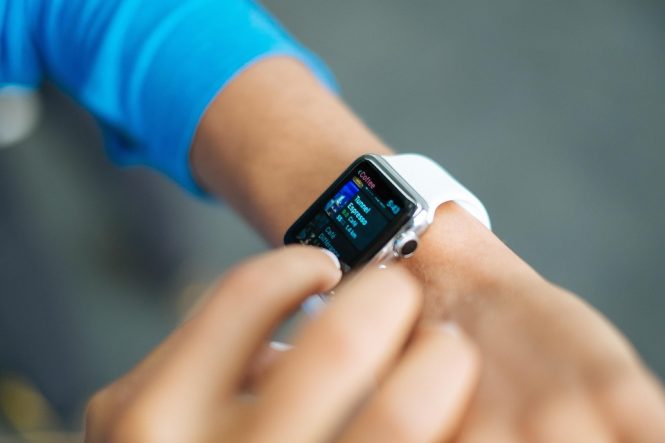
Unleashing the Power of Smartwatches: Tips and Tricks for Getting the Most Out of Your Device
Smartwatches have revolutionized the way we live, work, and play. These sleek and stylish devices have transformed from mere time-telling accessories to powerful tools that can track our fitness, receive notifications, control our music, and even make phone calls. However, with so many features and functions, it can be overwhelming to know how to get the most out of your smartwatch. In this article, we’ll share some tips and tricks to help you unleash the full potential of your smartwatch and make it an indispensable part of your daily life.
Setting Up Your Smartwatch for Success
Before diving into the advanced features, make sure you’ve set up your smartwatch correctly. This includes:
- Pairing with your phone: Ensure your smartwatch is connected to your phone via Bluetooth or Wi-Fi to receive notifications, track activity, and access music controls.
- Customizing your watch face: Choose a watch face that suits your style and preferences, and customize it with complications (widgets) to display essential information, such as date, time, and fitness data.
- Setting up fitness tracking: Configure your smartwatch to track your daily activity, including steps, distance, and calories burned.
Mastering Notifications and Alerts
Smartwatches are designed to keep you informed and connected. To make the most of notifications and alerts:
- Customize notification settings: Choose which apps can send notifications to your smartwatch, and set up filters to prioritize important messages.
- Use voice commands: Many smartwatches support voice assistants, such as Siri, Google Assistant, or Bixby, to respond to messages, make calls, or perform tasks hands-free.
- Dismiss notifications with ease: Use gestures, such as swiping or tapping, to quickly dismiss notifications and clear your watch face.
Fitness and Health Tracking
Smartwatches are excellent fitness companions, offering a range of features to track your physical activity. To get the most out of fitness tracking:
- Set fitness goals: Define your goals, such as daily step targets or exercise routines, to stay motivated and track progress.
- Use built-in workout tracking: Many smartwatches come with pre-set workout modes, such as running, cycling, or swimming, to track specific activities.
- Monitor health metrics: Keep an eye on your heart rate, blood oxygen levels, and other vital signs to gain insights into your overall health and wellness.
Music and Entertainment
Smartwatches can also be your personal music player and entertainment hub. To enjoy music and more:
- Store music on your watch: Load your favorite tunes onto your smartwatch for offline listening, or stream music from popular services like Spotify or Apple Music.
- Control music playback: Use your smartwatch to play, pause, and skip tracks, or adjust volume levels.
- Access podcasts and audiobooks: Many smartwatches support podcast and audiobook playback, perfect for commutes or workouts.
Productivity and Organization
Smartwatches can help you stay organized and productive. To maximize your device’s potential:
- Use calendar and reminders: Sync your calendar and reminders to your smartwatch to stay on top of appointments and deadlines.
- Set timers and alarms: Use your smartwatch to set timers, alarms, and notifications to stay on schedule.
- Integrate with other devices: Connect your smartwatch to other devices, such as your computer or tablet, to access files, emails, or other information on the go.
Tips and Tricks for Advanced Users
For experienced smartwatch users, here are some advanced tips and tricks:
- Customize your watch face with third-party apps: Explore third-party watch face apps to create unique and personalized designs.
- Use smartwatch-specific features: Take advantage of features like built-in GPS, altimeter, or compass to track outdoor activities or navigate unfamiliar territories.
- Experiment with watch face complications: Add custom complications to your watch face to display information like weather forecasts, stock prices, or sports scores.
Conclusion
Unleashing the power of your smartwatch requires a combination of setup, customization, and exploration. By following these tips and tricks, you’ll be able to get the most out of your device and enjoy a more connected, productive, and healthy lifestyle. Whether you’re a fitness enthusiast, a busy professional, or simply looking to stay organized, your smartwatch is a powerful tool that can help you achieve your goals. So, go ahead, explore, and discover the full potential of your smartwatch!